What is it?
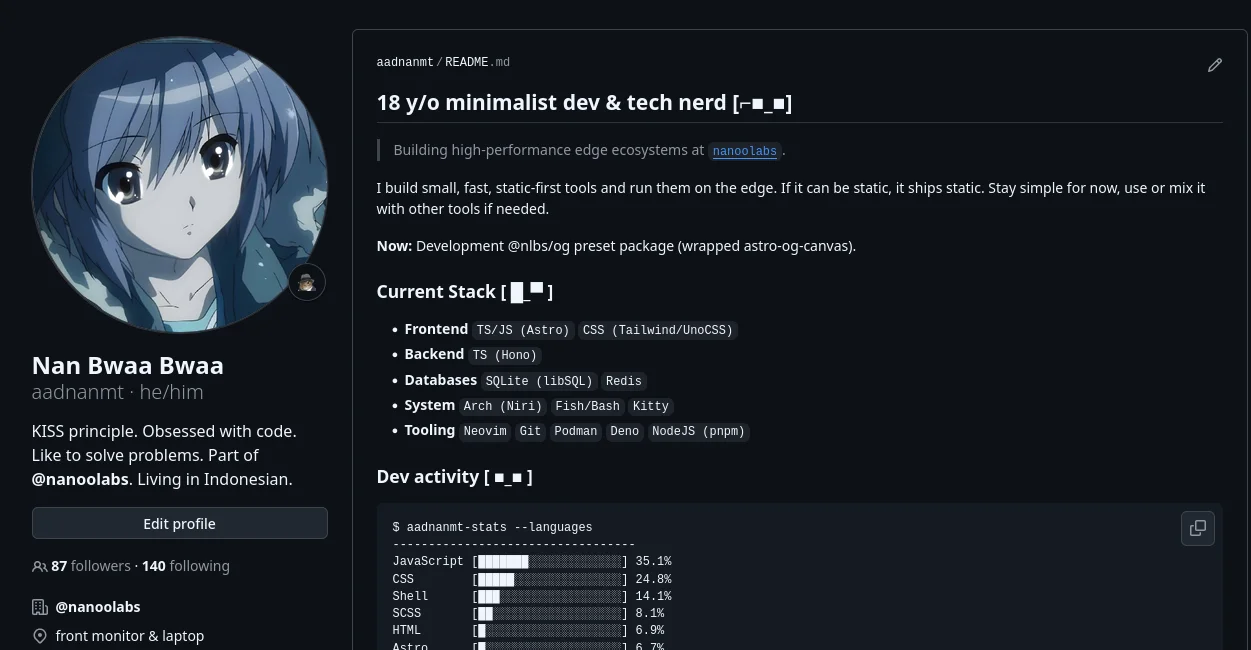
Minimalist tool that keeps my GitHub Profile README stats fresh. Headless templating: a README.template.md with placeholders, Deno + TS scripts pull data from GitHub GraphQL API, and rendered stats get push to my public profile repo.
In my setup
Runs itself. GitHub Actions cron push fresh stats twice a day (05:00 & 17:00 UTC) straight to my profile repo.
Screenshot
Why did I build it?
veryy very lazy to used again GitHub Profile Generator from community. i have problem such us statistics thropy graph, activity graph often fail to work properly, unstable external fire dependenc
What I learned
GraphQL vs REST
GraphQL makes sense from REST for this project, have multiple data source to combine at one endpoint.
PAT permission scopes
Github PAT Classic has large scope to a single user or organization, this is very different from a Fine-grained PAT that is limited to access resources owned by a single user or organization.
Cron CI
Yupp, I learned again Cron Expression in Crontab and workflow syntax GitHub Actions (such as timeout-minutes, cancel-in-progress, and working-directory).
Migrated Bun to Deno
Deno is strict about explicit module file extension (such as .ts, .js, or .tsx).
Before I used Bun, just write:
import { parseCommit } from './parser'After move to Deno:
import { parseCommit } from './parser.ts'But from strictness of Deno about explicit module is superior because there is no need for an abstraction program/black box, it must be explicit.
This project currently evergreen and you can use on my github repository meesync